TL;DR
IFRS accounting software integration connects your ERP, lease tools, revenue systems, and HR platforms into one consistent data flow. Right now, most finance teams are moving data manually between systems that weren’t built to work together, and that creates errors, delays, and audit risk. A hybrid integration strategy fixes that by automating high-risk calculations while keeping manual steps where your team still needs them. You’ll learn the key components, core systems to connect, step-by-step process, and what to watch for when building your integration. Read the full article to decide which approach fits your current setup.
Your finance team runs multiple platforms. You’ve got an ERP, a contract system, maybe a lease tool. Each one produces data your IFRS reports depend on.
The problem: these systems weren’t built to talk to each other. And forcing them through manual exports creates errors, delays, and audit risk.
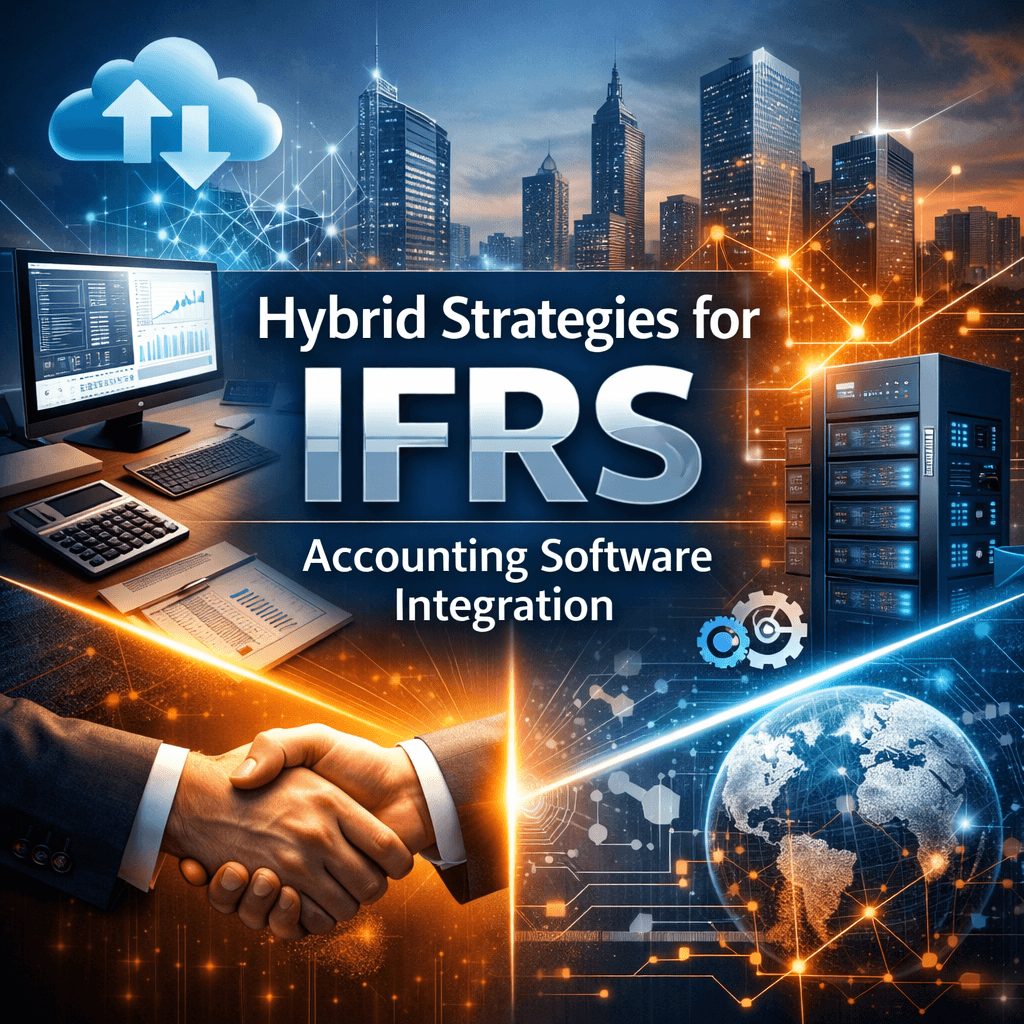
That’s where IFRS accounting software integration comes in. This article breaks down what hybrid integration strategies look like, why they work, and how to structure one across your key financial systems.
What Is IFRS Accounting Software Integration?
IFRS accounting software integration is the process of connecting your financial platforms so they share data automatically. It removes the need to manually move numbers between systems.
A connected setup means your ERP, lease tool, revenue system, and HR platform all feed one consistent data flow. That flow supports accurate reporting under standards like IFRS 15, IFRS 16, and IAS 19.
Integration doesn’t mean replacing your existing tools. It means building connections between them, so data moves on its own without manual copying or reconciliation.
IFRS Accounting Software Integration: Why Hybrid Works
Most organizations can’t go fully automated overnight. You have legacy systems, regulatory constraints, and team workflows built around manual steps.
A hybrid strategy keeps those manual steps where they’re still needed. At the same time, it automates the calculations, reconciliations, and reporting tasks that carry the highest error risk.
That balance matters. According to research on the ERP market, which underpins most IFRS accounting integrations, the global ERP sector was valued at USD 16.3 billion in 2023. It’s projected to reach USD 40.6 billion by 2033, growing at a 9.4% CAGR. Hybrid deployments are forecast to grow the fastest, as organizations balance regulated core workloads with cloud-based analytics.
That trend confirms what finance teams already know from experience. You need the stability of on-premises infrastructure alongside the flexibility of cloud-based tools.
Key Components of a Hybrid IFRS Integration Strategy
Financial Data Mapping and Standardization
Before any system connection works, your data fields need to match. A chart-of-accounts entry in your ERP has to map correctly to the equivalent field in your IFRS reporting layer.
Data mapping identifies every field that moves between systems. Standardization defines what format, unit, and validation rule applies to each one.
Without this foundation, even well-built integrations produce inconsistent outputs. A mismatch at the field level creates reporting errors that are hard to trace and harder to fix.
API-Based System Connectivity
APIs let your platforms talk in real time. When a contract gets updated in your revenue system, an API connection pushes that update to your IFRS calculation engine without any manual step.
Most modern financial platforms support API connectivity. The key is configuring the right data triggers, error handling, and frequency of sync for each integration point.
Automated Calculations and Compliance Rules
Certain IFRS calculations are complex and repetitive. Present value calculations for leases under IFRS 16, variable consideration allocation under IFRS 15, and interest accretion under IFRS 9 all follow fixed logic.
Automation handles that logic at scale. It runs every calculation the same way, every time, without the inconsistencies that come from manual spreadsheet work.
Audit Trails and Internal Controls
Every data change in an integrated system needs a record. Audit trails capture what changed, when it changed, and where it came from
This isn’t just good practice. Auditors reviewing IFRS compliance want to trace every figure back to its source. A complete audit trail makes that process faster and less disruptive for your team.
Core Systems to Integrate with IFRS Accounting Software
You can read more about selecting the right IFRS financial reporting platforms to understand how different platform types fit into an integrated setup.
ERP and General Ledger Systems
Your ERP is usually the center of your financial data. It holds the chart of accounts, period-end balances, and transaction history that IFRS reporting depends on.
Integration between your ERP and IFRS calculation tools keeps those balances synchronized. Journal entries generated by IFRS calculations post back to the general ledger automatically, reducing reconciliation work and cut-off errors.
Contract and Revenue Management Platforms
IFRS 15 requires you to track performance obligations, contract modifications, and variable consideration across every contract. Manual tracking in spreadsheets doesn’t scale.
Integrating your contract management platform with your IFRS engine means contract data flows directly into your revenue recognition logic. Modifications trigger recalculation automatically. Recognition schedules update without manual input.
Lease Accounting and Asset Management Tools
IFRS 16 brought lease liabilities onto the balance sheet for most organizations. The calculations, right-of-use asset amortization, interest accretion, and liability remeasurement, run on a schedule.
Connecting your lease data source to your IFRS calculation layer automates that schedule. Changes to lease terms feed through automatically, and the resulting journal entries post without manual intervention.
HR Systems Supporting IAS 19 Valuation
IAS 19 requires employee benefit liabilities to reflect current headcount, salary, and service data. That data lives in your HR and payroll systems.
Poor integration between HR and actuarial tools is one of the most common sources of IAS 19 audit findings. When employee records don’t sync correctly, the liability calculation reflects outdated assumptions. Auditors will find that gap.
A direct data connection between your HR platform and your valuation tool removes that risk. You can also find a detailed guide on IFRS compliant accounting platforms that support IAS 19 data flows.
Integration Architecture for IFRS Compliance Platforms
Data Flow and Synchronization Models
You have two main options for syncing data between systems. Real-time sync pushes every change immediately. Batch sync collects changes and processes them at set intervals, such as nightly or at period-end.
Real-time sync works well for contract modifications and transaction-level data. Batch sync is more suitable for payroll data and actuarial inputs that update on a fixed schedule.
Your integration strategy should specify the sync model for each connection point. Using the wrong model creates either unnecessary processing load or data that’s too stale for period-end reporting.
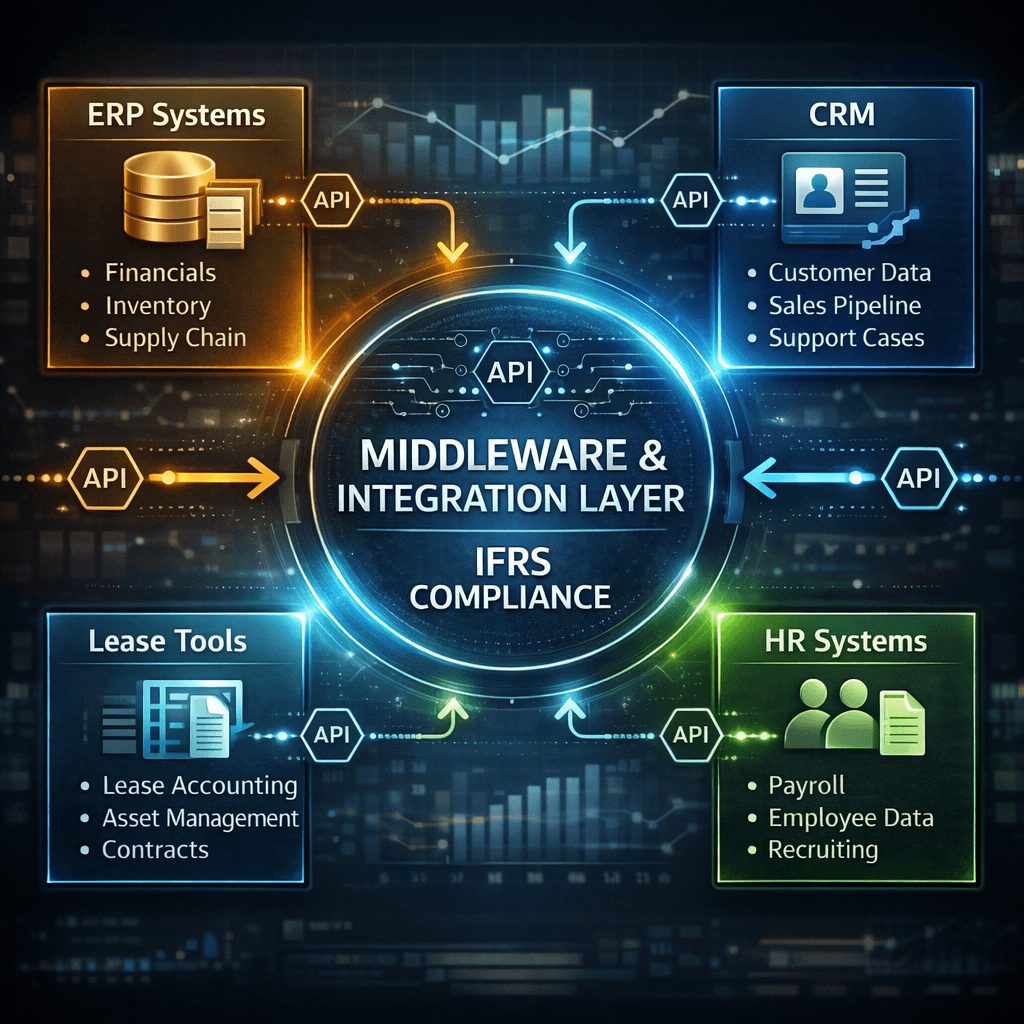
Middleware and Integration Layers
Not all systems can connect directly through APIs. Middleware sits between platforms and translates data formats, handles errors, and manages connection failures without interrupting your reporting workflow.
Hybrid cloud setups commonly use middleware to connect on-premises ERP systems with cloud-based IFRS calculation tools. This approach is gaining traction across the industry. Hybrid cloud deployment modes are gaining significant traction in the cloud accounting software market, because they balance the flexibility of public cloud with the security of private cloud environments.
Master Data Management for Financial Systems
Master data is the shared reference information your systems all rely on: entity structures, cost centers, currency codes, and counterparty records.
When master data differs between systems, every integration point becomes a source of discrepancy. A dedicated master data management process keeps that reference data consistent across your entire financial platform ecosystem.
Automating IFRS Standards Through Integration
IFRS 15 Revenue Recognition Automation
Revenue recognition under IFRS 15 involves identifying performance obligations, allocating transaction prices, and recognizing revenue as each obligation is satisfied.
Integration with your billing, CRM, and project systems automates that process. The system pulls contract data, applies your recognition rules, and generates the appropriate revenue entries without manual calculation.
Parallel processing, where you run the automated system alongside your manual method, is the standard approach for validating that the integration produces correct outputs before you fully cut over.
IFRS 16 Lease Accounting Integration
Lease accounting requires ongoing calculations: interest on the lease liability, amortization of the right-of-use asset, and remeasurement when lease terms change.
An integrated lease accounting tool runs those calculations automatically. It posts the resulting journal entries to your general ledger on schedule. When a lease is modified, the tool recalculates and updates the schedule without manual input from your team.
IAS 19 Valuation Data Integration
Employee benefit calculations under IAS 19 depend on data from your HR system: active headcount, salary by grade, years of service, and turnover rates.
Direct integration between your HR platform and your actuarial calculation tool eliminates the manual data extraction step. That reduces the risk of using outdated figures in your benefit liability calculation. It also creates a documented audit trail from source data to final liability figure.
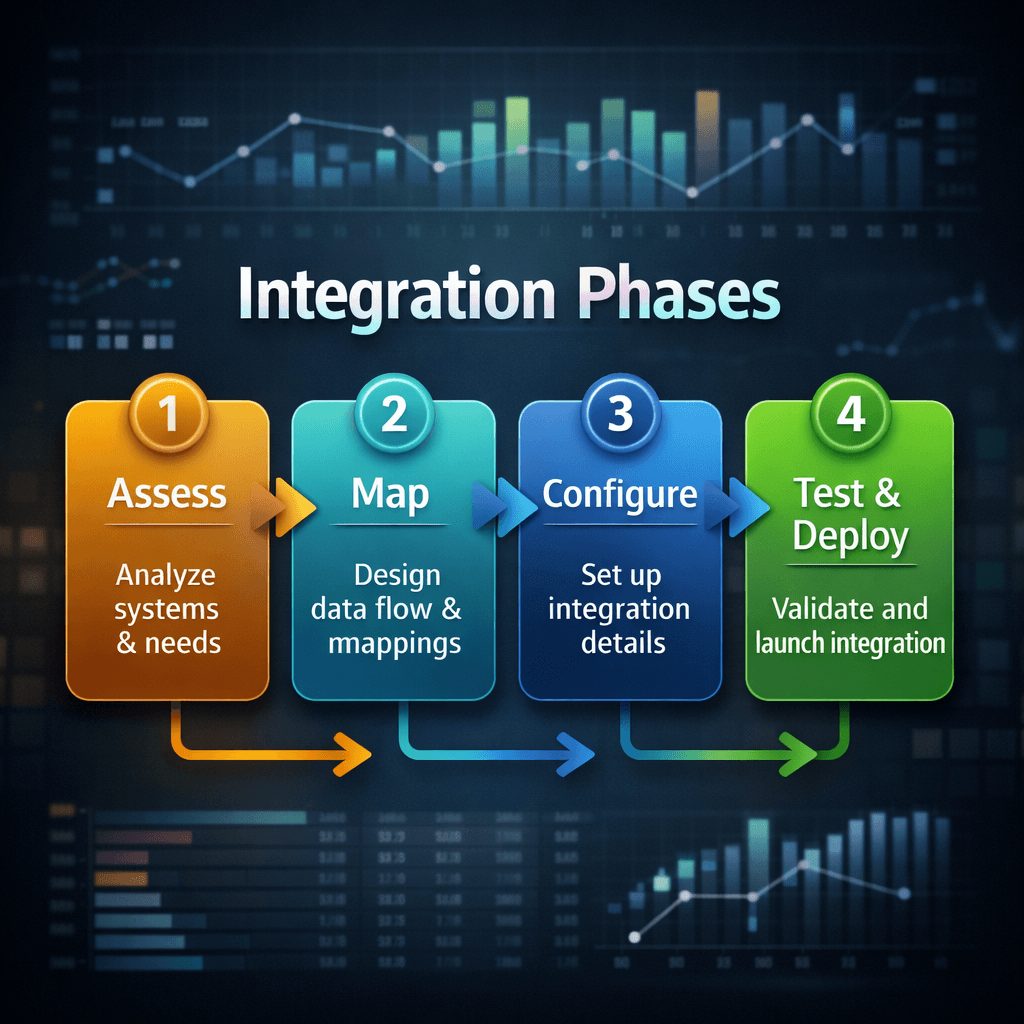
Step-by-Step IFRS Accounting Software Integration Process
Assess Current Financial Systems
Start by listing every system that produces or consumes IFRS-relevant data. That includes your ERP, contract management tool, lease system, HR platform, and any standalone spreadsheets still in use.
For each system, document the data it holds, the format it uses, and how frequently that data changes. This inventory is the foundation for every integration decision that follows.
Map IFRS Data Requirements
Each IFRS standard has specific data requirements. IFRS 15 needs contract terms, performance obligations, and billing schedules. IFRS 16 needs lease agreements, payment schedules, and discount rates. IAS 19 needs HR records and actuarial assumptions.
Map those requirements against your current systems. Identify which fields exist, which fields need to be created, and which data points are currently only available in manual formats like spreadsheets or email
Configure Integration Workflows
Once the data map is complete, you build the connection. This means setting up API connections or middleware, configuring field-level mappings, setting sync frequency, and defining error-handling rules for failed transfers.
Each integration point should go through a design review before build. That review checks whether the connection handles all edge cases, such as contract modifications, currency conversions, and partial-period calculations.
Test, Validate, and Deploy
Testing runs your integration against real historical data. You compare the automated outputs against your existing manual figures and reconcile any variances.
Parallel processing is the standard validation method. You run the new system alongside the old one for at least one reporting period, reconcile the results, and investigate any differences before go-live.
Common Challenges in IFRS Software Integration
Data Quality and System Compatibility
Integration exposes data quality issues that manual processes were quietly hiding. Fields that were filled inconsistently, records that were never updated, and formats that varied between departments all become visible when you try to sync systems automatically.
Resolving those issues before integration is essential. A data quality audit should be part of your assessment phase, not something you discover after go-live
Compliance and Reporting Complexity
Some IFRS calculations involve judgment. Variable consideration under IFRS 15, for example, requires an assessment of the most likely outcome. That judgment can’t be fully automated.
Your integration strategy needs to define where automation applies and where human review is still required. A clear boundary between automated outputs and reviewed outputs keeps your compliance process defensible during an audit.
Implementation Costs and Change Management
Integration projects carry upfront costs in configuration, testing, and training. Those costs are real and need to be planned for.
At the same time, the ongoing cost of manual processes, including the time spent reconciling data and the risk of compliance errors, typically exceeds the one-time integration investment. A cost-benefit comparison should form part of your business case from the start.
Best Practices for Successful IFRS Integration
Establish Strong Financial Data Governance
Integration only works as well as the data it moves. Data governance defines who owns each data set, who has authority to change master data, and how data quality is monitored on an ongoing basis.
Assign clear ownership for every field that feeds your IFRS calculations. That ownership is the accountability layer that keeps your integration accurate over time
Use Scalable Integration Architecture
Your integration needs to handle more data as your business grows. Build your integration layer with that in mind from the start.
Scalable architecture separates your integration logic from your application logic. That separation means you can add a new system connection, or increase transaction volume, without rebuilding the core architecture
Ensure Continuous Compliance Monitoring
Integration isn’t a one-time project. IFRS standards update. Your business adds new contracts, entities, and employee populations. Your systems change.
Set up ongoing compliance monitoring that checks output accuracy against source data on a regular schedule. Build alerts for when data fails to sync or when outputs fall outside expected ranges. Treat your integration as a live system, not a completed task.
Key Metrics to Measure IFRS Integration Success
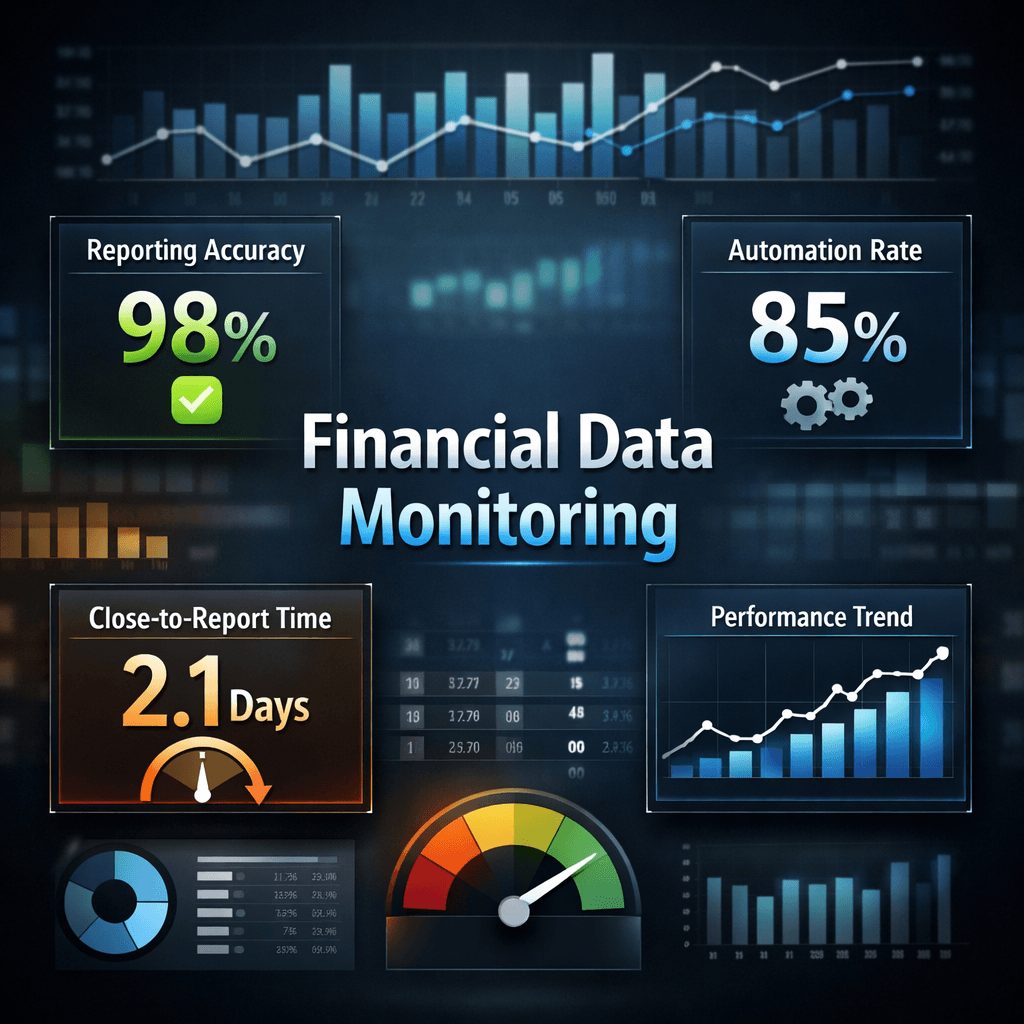
Reporting Accuracy and Compliance Rates
Track the variance between automated outputs and manual review figures. A narrowing variance over time indicates that your integration is producing reliable results
Monitor the number of audit queries tied to data discrepancies. A reduction in those queries directly reflects the accuracy improvement your integration has delivered.
Automation Efficiency and Time Savings
Measure the hours your team spent on manual data collection and reconciliation before integration. Compare that to the time spent post-integration
Time savings in data preparation free your team for analytical work. That shift from data handling to data interpretation is one of the clearest signals that your integration is working.
Financial Data Visibility and Decision Support
Integration improves data visibility by making information available in real time rather than after manual extraction. Track how quickly your leadership team can access period-end figures after close.
A shorter time from close to reporting, and from question to answer, is a practical measure of how much your integration has improved financial decision support
Future Trends in IFRS Accounting Software Integration
AI-assisted automation is moving into IFRS workflows. Predictive tools are beginning to flag contracts that may require variable consideration reassessment before period-end, rather than after.
Real-time compliance monitoring is also becoming standard. Rather than checking compliance at close, integrated platforms now track IFRS data continuously and surface issues as they occur.
Cloud-native architecture is replacing hybrid as the default for organizations without legacy infrastructure constraints. For organizations that do have on-premises systems, cloud integration layers are becoming the preferred bridge.
Multi-standard support is an increasing priority. Organizations managing IFRS 15, 16, 17, and IAS 19 simultaneously are asking for platforms that handle all four without requiring separate integration projects for each.
Frequently Asked Questions
What is the difference between IFRS integration and IFRS automation?
Integration connects your financial systems so data moves between them automatically. Automation applies logic, such as calculations or journal entries, to that connected data. Integration is the foundation; automation runs on top of it.
Do I need to replace my ERP to support IFRS integration?
No. Most integrations work with your existing ERP. The focus is on building connections between your ERP and your IFRS calculation tools, not on replacing the ERP itself
How long does an IFRS software integration project typically take?
Timelines vary based on the number of systems involved and the quality of existing data. A single-standard integration with clean source data typically takes three to six months, including testing and parallel processing.
What are the most common integration failures in IFRS projects?
The most common failures are poor data quality at the source, field-level mapping errors between systems, and underestimating the time needed for parallel testing before go-live
Can a hybrid IFRS integration support multiple IFRS standards simultaneously?
Yes, and that’s one of the key advantages of a hybrid approach. You can build integration logic for IFRS 15, 16, and IAS 19 in parallel, using the same data governance and middleware layer for all of them
What’s the build vs. buy decision for hybrid IFRS accounting strategies?
Building gives you full control over integration logic but requires internal development resources and longer timelines. Buying a pre-built integration platform reduces implementation time but requires evaluating whether the platform supports your specific standards and system stack.
Building the Right IFRS Integration Foundation
IFRS accounting software integration isn’t a single project. It’s an ongoing commitment to keeping your financial systems connected, your data accurate, and your reporting reliable.
A hybrid strategy gives you a practical path forward. You start by connecting the highest-risk manual processes first, then build out from there as your confidence in the integration grows
The organizations that get this right aren’t starting from scratch. They’re working with advisors who understand both the accounting standards and the technical architecture that supports them.
Prima Consulting works with finance teams to design and implement IFRS integration strategies that fit your existing systems and your compliance obligations. Get in touch at primaconsulting.org to start the conversation.