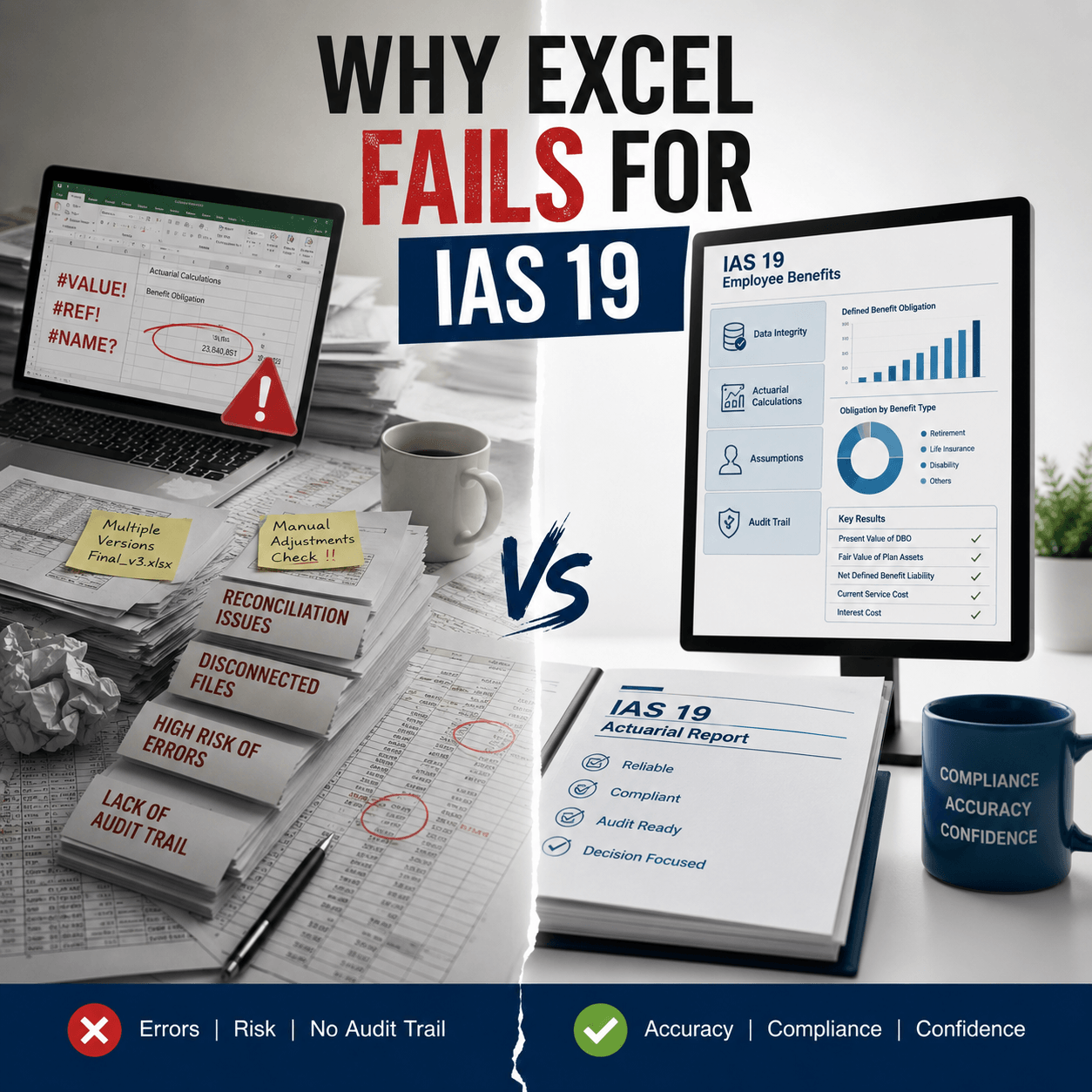
TL;DR
The ias 19 excel limitations most teams ignore are the ones that surface at audit: broken formulas, stale mortality tables, and demographic assumptions no one owns. This article covers why spreadsheet pension models fail, how demographic volatility swings your defined benefit obligation, and what auditors flag first. You’ll see where the risk actually sits and what a controlled valuation process looks like. Read it before your next reporting cycle, not after.
The IAS 19 Excel Limitations That Show Up at Audit
A pension number can tie out to the last decimal and still be wrong. That’s the trap.
Here’s the uncomfortable part. A 2024 study published in Frontiers of Computer Science found that 90% of financial reporting spreadsheets contain errors. Broader audits put it higher. A separate 2024 review of business spreadsheets found 94% carry critical errors that can distort forecasts and decisions. Your defined benefit obligation runs on one of those files.
So when we talk about ias 19 excel limitations, we’re not talking about Excel being a bad tool. It’s a great tool. It’s just the wrong tool for a calculation that mixes actuarial assumptions, projected cash flows, and disclosure math across a workforce that changes every year.
The failures cluster in three places. Demographic assumptions that drift out of date. Formulas and cell references that quietly break. And an audit trail that doesn’t exist because a spreadsheet doesn’t keep one.
Let’s take them in order.
How Demographic Volatility Swings Your Defined Benefit Obligation
Most people assume the discount rate is the scary input. It moves markets, it moves headlines. But in our client work, the assumption that catches teams off guard is mortality.
Mortality tells the actuary how long retirees collect benefits. Push life expectancy up, and the obligation grows. A one-year extension in assumed life expectancy can raise a pension liability by 3 to 5 percent, depending on plan design and discount rate. On a large scheme, that’s a material number arriving with no warning.
Now layer in the GCC. In Saudi Arabia, life expectancy climbed from 52 in 1969 to 78 in 2022, which pushed a 2024 pension reform raising the statutory retirement age from 58 to 65. Across the region, the population over 60 is projected to rise from 4% in 2015 to 21% in 2050. The workforce is aging faster than most mortality tables in use reflect.
What does a spreadsheet do with that shift? Nothing. It uses whatever table someone hardcoded three years ago.
That’s the core of the defined benefit obligation excel problem. The file has no mechanism to tell you an assumption went stale. It just keeps calculating, confidently, on a number that no longer describes your people.
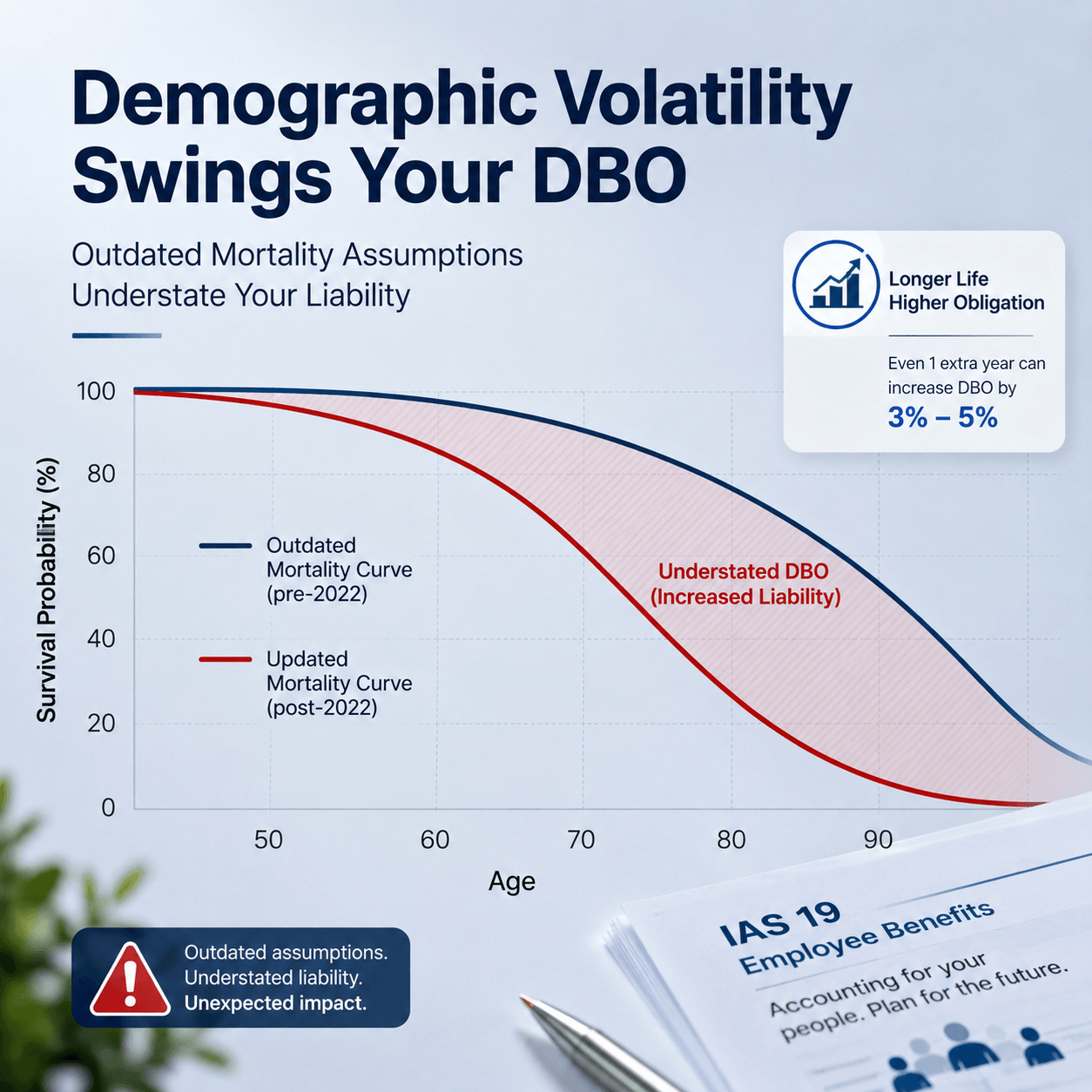
IAS 19 paragraph 82 is explicit here. Mortality assumptions have to account for expected improvements over the benefit period, not just today’s rates. A static table breaks that requirement the moment longevity moves. And it’s been moving.
Ask yourself one thing before the next valuation. When did anyone last challenge the mortality table in your model?
Manual Actuarial Valuation Errors: Where Spreadsheets Break Quietly
Demographic drift is the slow failure. Formula error is the fast one.
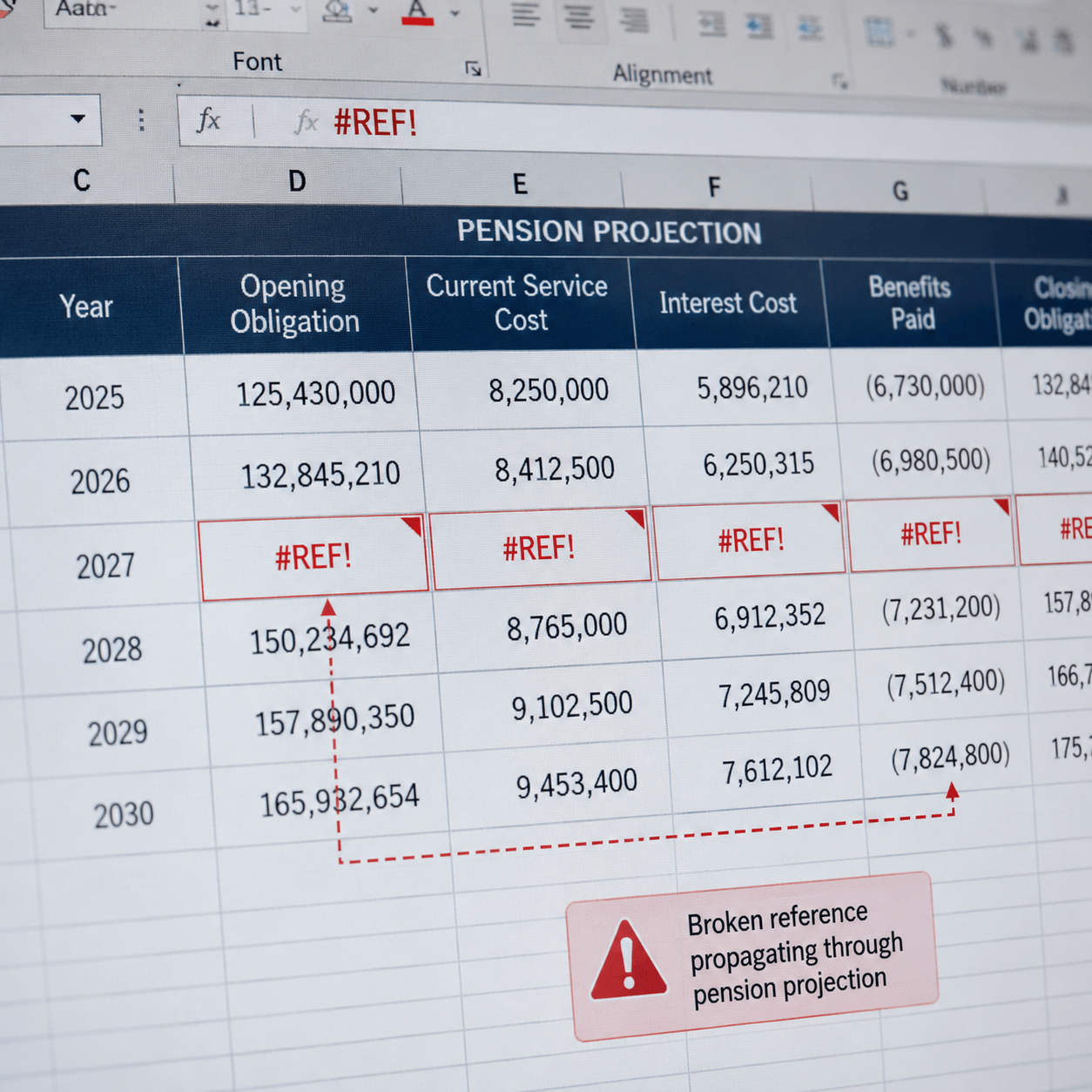
The classic pension obligation spreadsheet risks are boring and lethal. A dragged formula that skips a row. A hardcoded value pasted over a live cell during a late-night revision. A discount rate referenced from the wrong tab after someone restructured the workbook. None of these announce themselves.
Bloomberg Tax traced most tax-function material weaknesses back to exactly this: the limits of manual, spreadsheet-based processes, where formula errors, broken references, and hardcoded values are the common failure points. Pension valuation carries the same DNA, with more moving parts.
Then there’s the discount rate itself. IAS 19 requires it be set by reference to high-quality corporate bond yields at the reporting date. That rate feeds the present value of every future benefit payment. A small swing in it moves the whole obligation, and the change lands as an actuarial gain or loss. Get the input wrong in a cell, and the error propagates through every downstream number.
And payroll data. If active employees get misclassified as deferred, or headcount never reconciles against the HR system, the projection starts from bad inputs. Garbage in, audited garbage out.
Here’s the thing about all of this. Every one of these errors is invisible until someone independent checks. Which brings us to the audit.
Pension Spreadsheet Audit Failures and What Triggers Them
Auditors don’t trust spreadsheets. They’ve been burned too many times, and the data backs them up.
Financial-reporting concerns tied to material weaknesses and restatements have climbed hard. Glass Lewis noted these became one of the most common drivers of negative voting recommendations in the 2023 proxy season, occurring 2.5 times more often than the year before. SEC enforcement actions on issuer reporting, audit, and accounting rose more than 50% from 2021 to 2023.
What do auditors look for in a pension file specifically? Three things, mostly.
- Assumption support. Can you show why the discount rate, salary growth, and mortality table were chosen, with a source and a date? A spreadsheet rarely holds this.
- Reconciliation. Does the census in the model match the HR system, headcount to headcount?
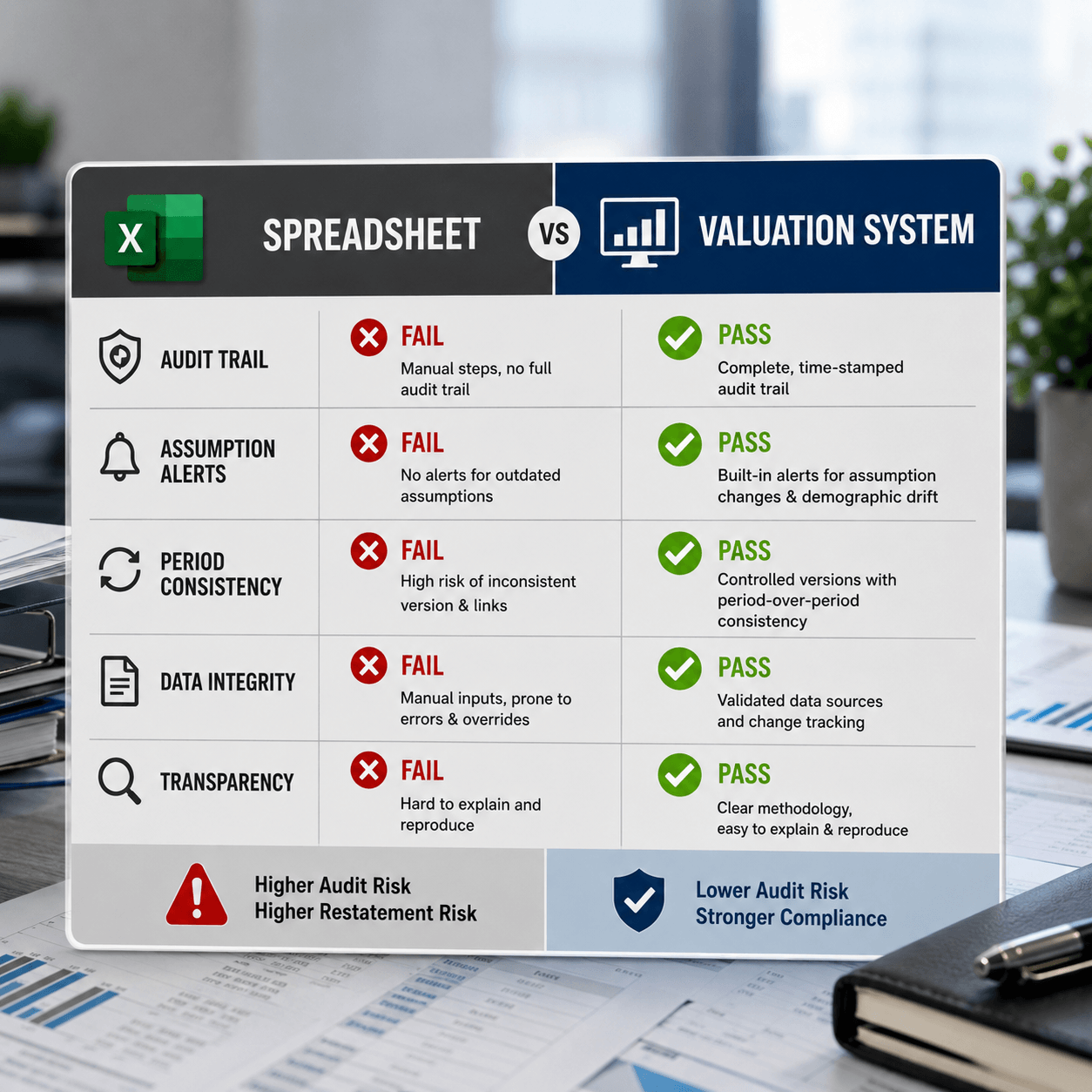
- Change control. Who edited the file, when, and what did they change? This is the one spreadsheets fail hardest.
That last point is the quiet killer. A spreadsheet keeps no reliable audit trail. When an auditor asks who changed the salary inflation assumption between the draft and the final, and the honest answer is “we’re not sure,” you’ve just handed them a finding.
Prima Consulting’s actuaries run an auditor expert review service precisely because so many in-house pension files can’t survive this level of questioning. The review exists because the gap is that common.
You might think a well-built spreadsheet with locked cells solves this. It helps. It does not solve it. Locked cells still don’t log who unlocked them, and they don’t tell you when your mortality table expired.
A Quick Self-Check for Your Own Pension Model
Run your current file against these. Be honest.
- Can you name the source and date of your mortality table without opening the file?
- Does anyone own the annual assumption review, by name?
- If two people edited the model last quarter, can you see who changed what?
- Does your census reconcile to HR, or do you assume it does?
If you hesitated on two of those, your manual actuarial valuation errors aren’t a risk. They’re a certainty you haven’t found yet.
I’ll admit the limit of my own view here. I don’t have a clean industry dataset on how many GCC pension restatements trace specifically to Excel versus other causes. The public restatement data doesn’t tag root cause that finely. But every engagement I’ve seen where the DBO moved unexpectedly, the model was a spreadsheet. Make of that what you will.
Why a Purpose-Built System Changes the Math
The fix isn’t a better spreadsheet. It’s a different category of tool.
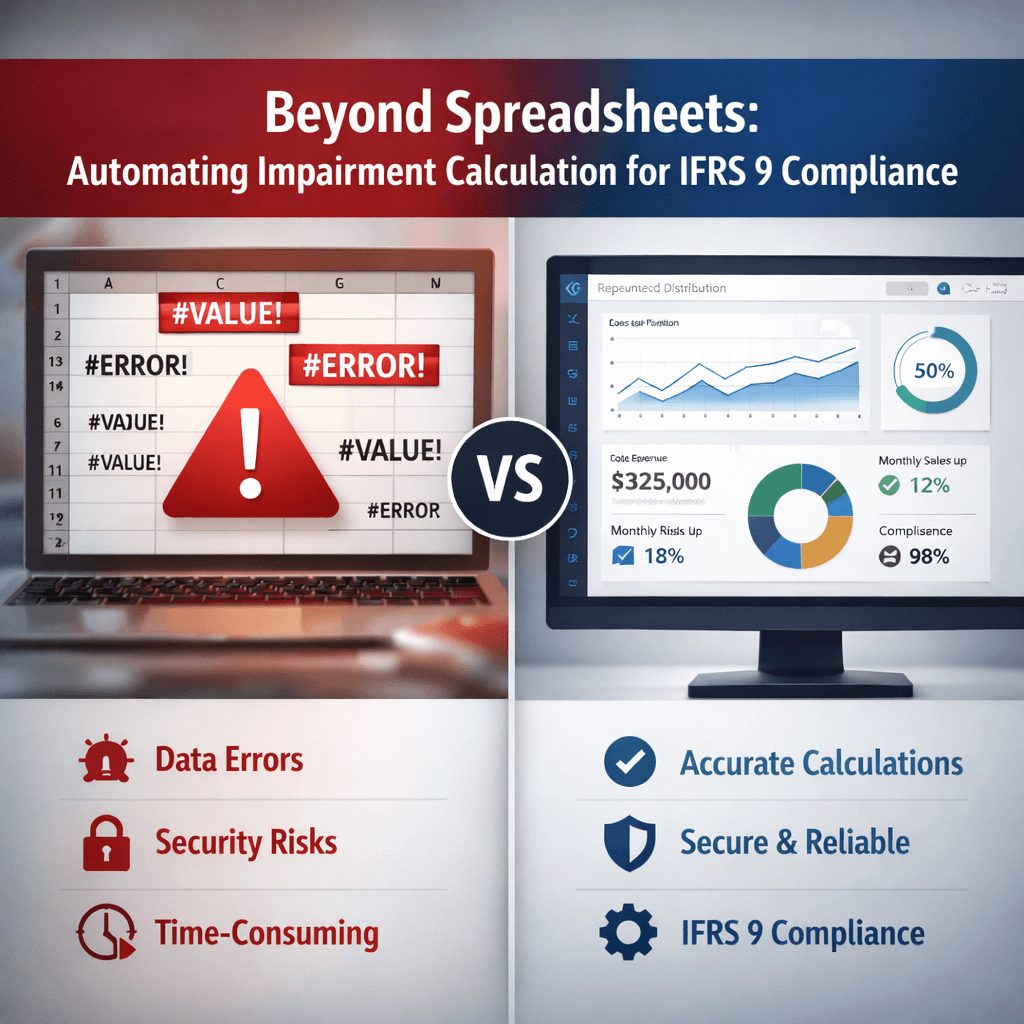
A dedicated actuarial valuation platform does three things Excel structurally can’t. It versions every change with a timestamp and a user, so the audit trail writes itself. It flags assumptions that need refreshing instead of silently reusing them. And it runs the projected unit credit method the same way every period, so a formula can’t quietly break between year one and year two.
That last point matters more than it sounds. Consistency across periods is what auditors actually want to see. A spreadsheet gives you a fresh chance to introduce an error every single cycle.
This is the whole reason IFRS TECH built its IAS 19 valuation system. Not to replace judgment. Actuaries still set the assumptions. The tool removes the failure modes that have nothing to do with judgment and everything to do with the file format.
One client result stands out. A GCC group that had restated its employee benefit obligation twice moved off spreadsheets and cleared its next two audits without a single assumption-related finding. The math didn’t change. The control around it did. You can see how Prima’s employee benefits valuation team approaches the same problem from the advisory side.
IFRS Tech
Want to see how the IAS 19 tool handles your census and assumptions? Book a free product demo.
No obligation · Live walkthrough · GCC, Europe & APAC
What Auditors Reward, and What It Costs to Ignore It
There’s a version of this story where you keep the spreadsheet and just work harder. Tighter reviews, more sign-offs, a locked master file. It buys you time.
It doesn’t buy you the audit trail. And that’s the piece regulators and auditors keep tightening on. When restatement-linked material weaknesses are driving proxy votes and enforcement is up over 50% in two years, “we reviewed it carefully” stops being enough. They want to see the control, not hear about it.
The spreadsheet-based pension file is fighting a trend that’s moving against it. Longevity keeps rising, so demographic assumptions age faster. Scrutiny keeps rising, so audit tolerance shrinks. The tool sits in the middle, unchanged since 2003.
You already know which way that goes.
What You Now Know
- Spreadsheet pension models fail at audit on stale assumptions, broken formulas, and a missing change log, not on visible math.
- Demographic volatility, especially rising GCC longevity, can move your DBO by material amounts with zero warning inside a static file.
- The fix is a purpose-built valuation system that versions changes, flags aging assumptions, and runs the same method every period.
The real cost of the ias 19 excel limitations covered here isn’t the error itself. It’s the restatement, the audit finding, and the credibility hit that follow. Demographic volatility will keep pushing your defined benefit obligation in directions a spreadsheet can’t track, and auditors will keep tightening the screws on change control. You can wait for the next surprise, or you can move the calculation somewhere it can be trusted. If your pension numbers matter to your financial statements, and they do, the file they live in is a decision worth making on purpose.
See how IFRS TECH’s audit-ready approach to spreadsheet risk plays out across other IFRS standards, then bring the same rigor to IAS 19.
Free Product Demo
See the IAS 19 system handle your defined benefit obligation, live.
IFRS Tech’s advisors walk you through assumption control, audit trail, and disclosure output on your own use case. First demo is always free, no pitch, just the product.
Frequently Asked Questions
Why is Excel risky for IAS 19 valuation?
Excel keeps no reliable audit trail, silently reuses stale mortality and discount rate assumptions, and lets formula errors or hardcoded values propagate unnoticed. Since 90% of financial reporting spreadsheets carry errors, a defined benefit obligation built in Excel is exposed to pension obligation spreadsheet risks that only surface at audit.
How does demographic volatility affect the defined benefit obligation?
Demographic assumptions drive how long benefits get paid. A one-year rise in assumed life expectancy can lift a pension liability by 3 to 5 percent. With GCC longevity climbing fast, a static mortality table understates the defined benefit obligation, producing actuarial losses that hit other comprehensive income later.
What causes IAS 19 audit findings in spreadsheets?
Auditors flag three things: assumptions without dated sources, a census that doesn’t reconcile to HR, and no record of who changed what. Spreadsheets fail hardest on change control, which is why manual actuarial valuation errors so often turn into restatements and material weakness findings.
Can a locked spreadsheet fix these problems?
Locking cells reduces accidental edits, but it doesn’t create an audit trail, doesn’t flag aging assumptions, and doesn’t guarantee period-to-period consistency. It narrows the ias 19 excel limitations without closing them. A purpose-built valuation system addresses the failure modes a locked file leaves open.