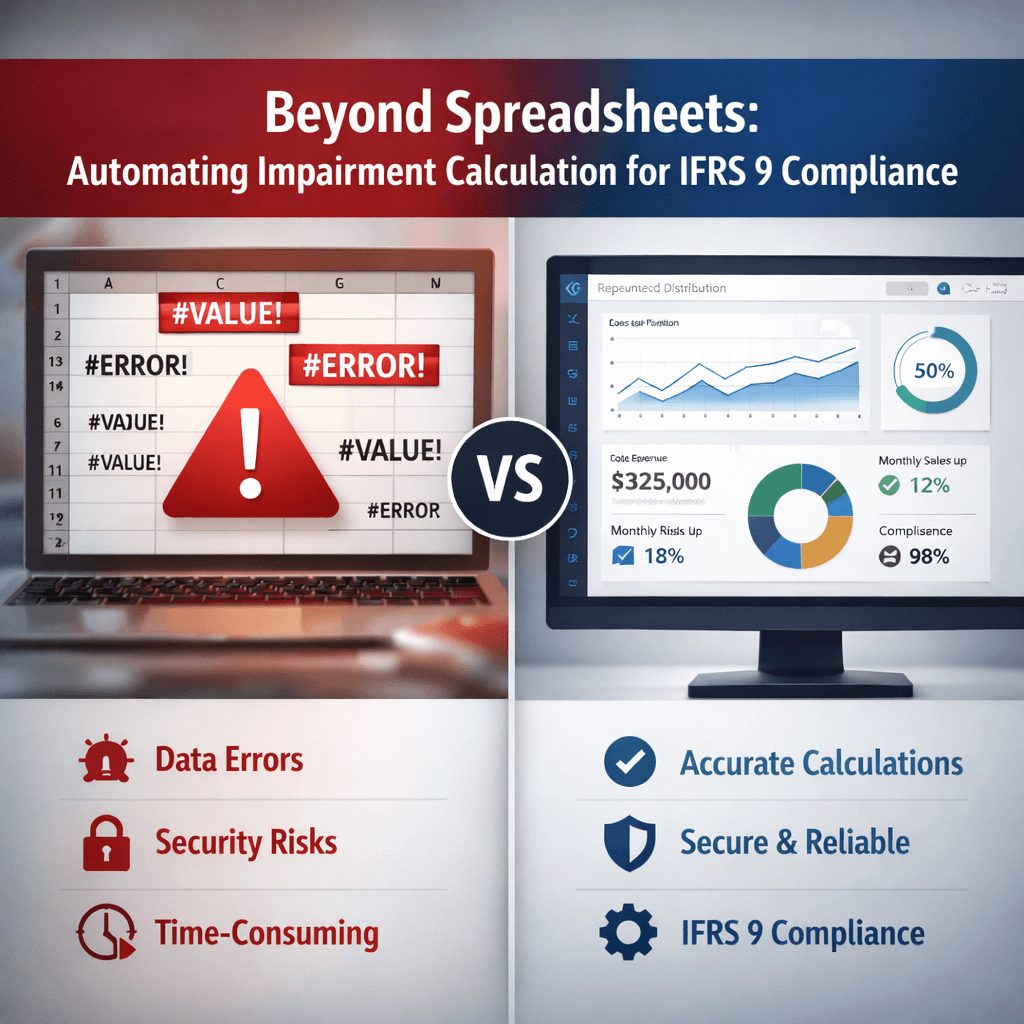
TL;DR
Most CFOs spend weeks each quarter managing manual IAS 19 actuarial valuations. The right software cuts that timeline to days. You’ll want solutions that automate assumptions analysis, support multi-country reporting, and integrate directly with your HR systems. Strong IAS 19 valuation tools include sensitivity testing, complete audit trails, and automatic disclosure generation. Security matters too—look for ISO 27001 certification and end-to-end encryption. This article walks you through everything to evaluate before selecting a vendor. The decision you make today determines whether your team stays stuck in manual processes or moves forward with speed and accuracy. Check each vendor against capability requirements first, then factor in price and support options for your final choice.
Most CFOs spend weeks each quarter managing IAS 19 employee benefits valuations. Your finance team extracts data from HR systems, passes it to external actuaries, waits for results, then manually integrates everything into financial statements. That’s the old way. The decision you’re making today determines whether your organization stays stuck in that cycle or moves forward.
Selecting the right IAS 19 actuarial valuation software isn’t about finding the cheapest option or the one with the flashiest marketing. This decision directly impacts your financial close timeline, your team’s bandwidth, your audit readiness, and your organization’s ability to handle complex benefit plans across multiple jurisdictions.
Get this right, and you’ll cut your valuation cycle from weeks to days. Get it wrong, and you’ll inherit another system that doesn’t quite fit your needs.
This checklist walks you through exactly what to evaluate before you commit.
What Is IAS 19 Valuation and Why Software Matters
IAS 19 requires organizations to measure employee benefit obligations at present value using actuarial assumptions and the projected unit credit method. You’re calculating what you’ll eventually owe employees for pensions, gratuities, end-of-service benefits, and other post-employment commitments.
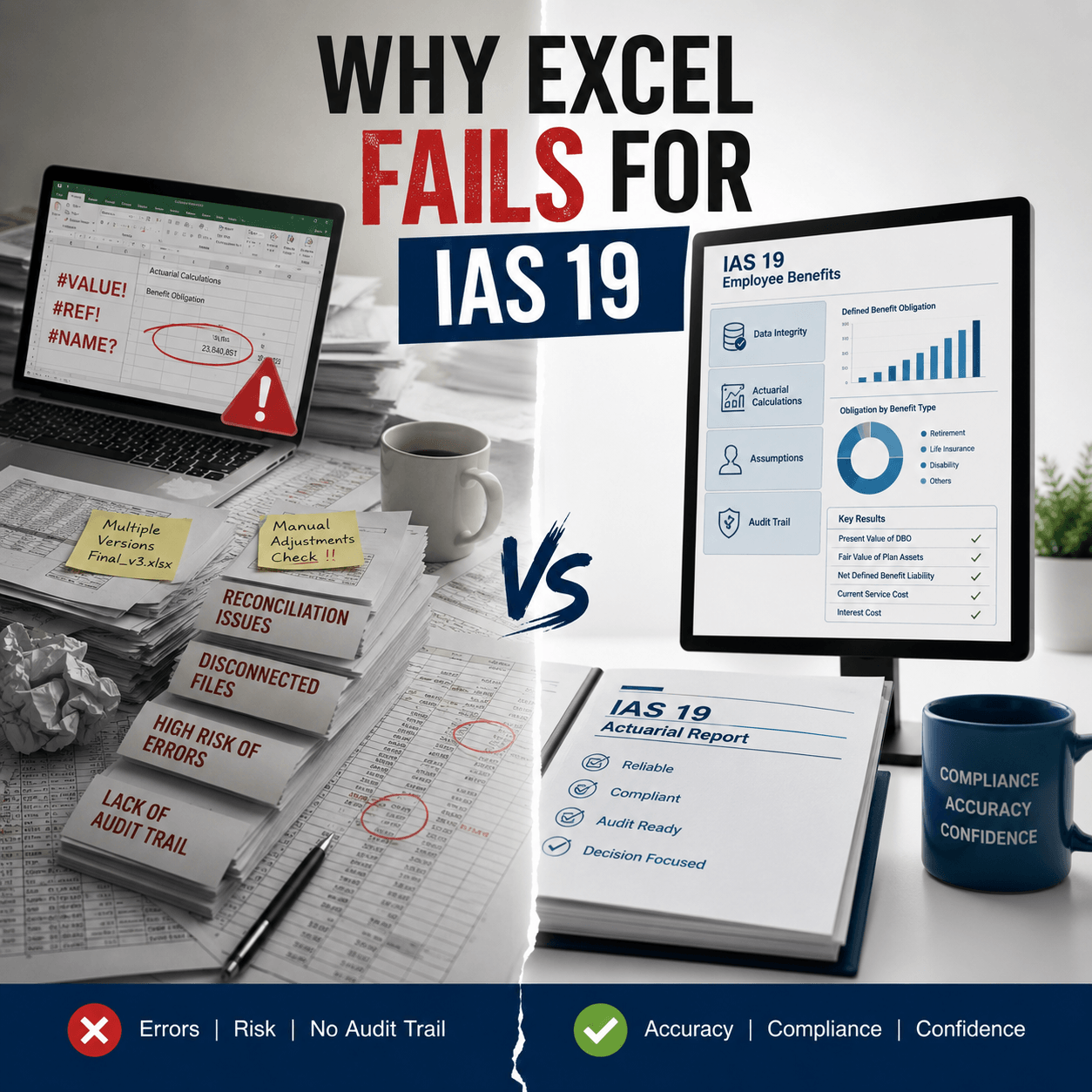
The challenge isn’t understanding IAS 19 conceptually. The challenge is executing it repeatedly, accurately, and fast enough to support your financial close. Manual processes break down at scale. A single assumption change requires recalculating everything. HR data changes weekly. Auditors demand complete documentation of your methodology and assumptions.
Software handles all of that automatically. The right IAS 19 actuarial valuation tool integrates directly with your HR platform, applies IAS 19 assumptions based on your workforce demographics, runs calculations instantly, and generates auditor-ready reports with sensitivity analyses and disclosure notes. It turns what takes external actuaries two weeks into something that takes your team two hours.
Key Challenges CFOs Face With Manual IAS 19 Valuation
Manual valuation processes create specific operational bottlenecks that slow down your financial close. Most organizations spend 15-30 days per valuation cycle. That timeline starts with HR data extraction and ends when the actuarial report integrates into your financial statements.
During that window, your finance team can’t close the books. Month-end reporting gets delayed. You can’t answer questions from management about benefit liabilities until the valuation completes.
Data transcription errors compound the problem. Your HR system exports employee records into spreadsheets. Those spreadsheets go to your external actuaries. They input data into their systems. Every handoff creates an opportunity for error.
A missing decimal point changes liability calculations. Wrong salary history skews the entire projection. Finding and fixing these errors late in the process costs time and credibility with auditors.
Assumption changes create cascading rework. If your finance team decides to update the discount rate based on current bond yields, or recalculate salary growth, the entire valuation needs to restart. External actuaries typically charge per valuation cycle, so running multiple scenarios gets expensive fast.
Your organization can’t easily test different assumptions or understand their impact on your employee benefits actuarial valuation.
Delayed valuations disrupt financial planning. Your management team needs benefit liability numbers to inform strategic decisions. Delayed reporting means delayed insights. You’re always working from outdated information, not current data.
External actuarial costs add up quickly. If you valuate quarterly, you’re paying external actuaries four times per year. If you manage multiple entities or complex benefit plans, those costs can exceed $50,000 annually for routine work. Add specialized situations and the costs climb higher.
Core Requirements of IAS 19 Actuarial Valuation Software
When you’re evaluating systems, certain capabilities separate solutions that actually work from those that only look good in demos. The software must support the projected unit credit method exactly as IAS 19 specifies it. That means calculating the present value of service benefits, attributing benefits to service periods, and handling salary projections correctly.
The system can’t take shortcuts or use simplified methodologies. Your auditors will test the calculations, and they need to verify that methodology aligns with your stated accounting policies.
Automated assumption application matters more than you might think. The system should analyze your workforce demographics and recommend appropriate IAS 19 assumptions. It should handle discount rates based on current high-quality corporate bond yields.
It should apply mortality tables appropriate to your geography and workforce profile. It should project salary growth based on historical patterns. This automation reduces the risk of assumption errors and speeds up the valuation process.
The software must handle all benefit categories that IAS 19 covers. That includes short-term benefits payable within 12 months, post-employment benefits like pensions and gratuity, other long-term benefits, and termination benefits. Different benefit types require different calculation methods. Your system needs to distinguish between them and apply the right approach to each category.
Data security becomes critical when employee information flows through your system. The software must encrypt data during transmission from your HR platform, throughout the calculation process, and during report generation. Sensitive payroll and personal information requires the highest protection standards.
Look for ISO 27001 certification as evidence of mature security practices.
Software Requirements for IAS 19 Valuation Accuracy and Methodology
Accuracy in IAS 19 actuarial valuation software isn’t optional. A small percentage error in your liability calculations flows directly into your financial statements and audit adjustments.
Start by understanding how the software validates its calculations. Does it include independent actuarial review? Can your external auditors verify the methodology? The system should produce detailed calculation trails showing every assumption used, every formula applied, and every intermediate result. Your auditors need to follow the logic from input data to final liability figures.
Test the software’s handling of edge cases. What happens with employees hired late in the year? How does it handle unusually high or low salary histories? What happens with employees approaching retirement? These situations test whether the system truly implements IAS 19 correctly or relies on simplified approaches that break under unusual circumstances.
Ask for sample calculations on scenarios similar to your benefit plans. If you offer a gratuity plan, have them calculate a sample gratuity valuation. If you manage pension plans, request a pension calculation example. Compare their results to externally-validated calculations from other sources. Does the software produce the same answers? That’s your baseline for confidence.
Critical Actuarial Assumptions and Sensitivity Analysis in Software
Your valuation is only as good as your assumptions. The software must give you complete control over assumption inputs and transparent visibility into assumption impacts. Discount rate determines the present value of future benefit payments. Most organizations base this on yields for high-quality corporate bonds with maturity matching your liability duration.
The software should allow you to input discount rates specific to each currency and entity. It should show you how discount rate changes impact your liability figures. A one percent change in discount rates typically moves pension liabilities by 10-15 percent, so getting this number right matters enormously.
Salary growth assumptions affect how benefits accumulate over service periods. The software should let you specify growth rates by age band, tenure, or job classification. It should apply these rates consistently across your employee population. Different growth rates for different employee groups create more realistic projections when your compensation practices vary by role.
Demographic assumptions include mortality tables, disability rates, and withdrawal rates. The software should apply mortality tables appropriate to your geographic location and workforce composition. Australian organizations use different mortality assumptions than Middle Eastern organizations. The system should accommodate these differences without manual adjustments.
Sensitivity analysis tools let you understand how changes in key assumptions affect your liability figures. Run a sensitivity analysis showing what happens if discount rates move up or down one percent. Show the impact of salary growth changing by two percent. Show mortality assumption changes. Your auditors will request this analysis. Good software generates comprehensive sensitivity reports automatically.
[IMAGE: Sensitivity analysis chart showing IAS 19 discount rate impact on defined benefit obligations. Line graph with X-axis showing discount rate changes from -2% to +2%, Y-axis showing DBO values in currency, multiple colored lines representing different benefit plan types (Gratuity in blue, Pension in green, EOSB in orange), clear values labeled, legend identifying each benefit type, gridlines for readability. 900px x 500px recommended.]
Managing Multi-Country and Multi-Currency IAS 19 Valuation
If your organization operates across borders, multi-country support becomes essential. Many companies underestimate the complexity this creates. Each jurisdiction has different benefit plan structures, tax treatments, and regulatory requirements. A gratuity plan structured under Saudi employment law differs fundamentally from a pension plan under UK regulations. The software must handle these differences without forcing you to use separate systems for each country.
Multi-currency reporting requires converting liabilities into your reporting currency while maintaining disclosure requirements for each entity. The software should allow you to input exchange rates and revalue liabilities accordingly.
It should track assumptions in local currency and reporting currency separately. Your financial statements require reconciliation between both perspectives.
Consolidation across multiple entities becomes manageable when software supports entity hierarchies. You need to valuate individual subsidiaries and then roll their results into group-level reporting. The software should produce both entity-level and consolidated reports without manual consolidation work.
Integration With HR, Payroll, and Finance Systems
The technical integration between systems determines whether your valuation process actually saves time or just adds complexity. Direct HR system integration eliminates manual data exports. The software should connect to your HR platform through secure APIs.
Employee data flows automatically without manual export and import steps. When a new employee joins, the HR system updates automatically, and that person appears in the next valuation run without manual intervention.
The integration should handle data validation automatically. The software should flag impossible data combinations. If an employee shows a hire date after their birth date, the system should reject that record and alert your HR team. If salary history contains gaps or inconsistencies, the system should highlight them for review.
Payroll integration allows the software to pull actual salary data directly. This eliminates transcription errors from manual salary exports. The system knows the exact compensation paid to each employee in each period. It projects future salary growth from actual historical data rather than relying on management estimates.
Financial statement integration means valuation results export directly into your accounting system. Generated journal entries for service costs, net interest, and remeasurement gains or losses go straight into your GL. Disclosure notes format automatically for inclusion in financial statement footnotes. Your accounting team doesn’t manually retype IAS 19 results.
Automation, Controls, and Audit-Ready IAS 19 Reporting
Every step of your valuation process should be documented, traceable, and auditable. The software must maintain complete audit trails. Every assumption input, every calculation, every result change needs to be logged with timestamps and user identification. Your auditors need to trace back through this documentation to verify how you arrived at reported figures. They need to see who changed what assumptions and when.
Approval workflows ensure proper governance. Before valuation results finalize, they should flow through review and approval steps. Your CFO should approve assumptions before calculations run. Your external auditors should be able to review results before they integrate into financial statements. The system should enforce these workflows, not just suggest them.
Report generation should be one-click automated. You’ve entered data, reviewed assumptions, approved the valuation. Now the system generates all required outputs. That includes the main actuarial valuation report, IAS 19 disclosure notes formatted for your financial statements, sensitivity analysis tables, demographic summaries, assumption reconciliations, and signed actuarial certifications. Your team doesn’t manually compile these documents.
The software should generate auditor-ready documentation without additional work. When auditors arrive, you provide them with the system-generated reports, calculation trails, assumption documentation, and reconciliation schedules. They can verify your numbers and methodology entirely from system outputs.
Handling Remeasurements and Disclosure Requirements
IAS 19 requires specific accounting treatments for remeasurement gains and losses, and detailed disclosures about your benefit plans. Remeasurement gains and losses arise from changes in actuarial assumptions or unexpected experience.
When discount rates move, the present value of future benefits changes. The software must calculate these remeasurement amounts and show whether they increase or decrease your OCI balance. It should reconcile prior period OCI to current period OCI with clear explanations of what drove the changes.
Disclosure requirements are extensive. IAS 19 requires reconciliations showing opening defined benefit obligation, service costs, interest costs, actuarial gains or losses, benefit payments, and closing defined benefit obligation. The software should generate these reconciliations automatically from its calculation outputs.
It should also produce sensitivity disclosures showing the impact of assumption changes, maturity profile tables showing when benefit payments occur, and plan asset information if applicable.
The system should handle different IFRS frameworks. Some organizations apply IFRS as issued by the IASB. Others apply local IFRS variations. The software should accommodate different disclosure requirements for different reporting standards.
Data Quality, Governance, and Security Standards
Your benefit valuation includes sensitive employee information. Security and governance aren’t nice-to-have features. Look for encryption throughout the system. Data should be encrypted during transmission from HR systems to the valuation software.
It should be encrypted while stored. It should be encrypted during report generation and delivery to external parties. End-to-end encryption means your employee data remains protected even if someone intercepts network traffic.
Access controls should limit who can see employee information. Role-based access means actuaries see full calculations while finance staff see only summarized results.
Only authorized users can modify assumptions. Administrative staff can’t accidentally change methodologies. The software should enforce these permissions, not rely on users to follow guidelines.
Backup and disaster recovery plans ensure your data survives failures. The software should automatically backup valuation data. If your system fails, backup copies allow rapid recovery without data loss. You need to know these backup protocols before you select the system.
Scalability and Future-Proofing for Growing Organizations
Your software selection is a multi-year decision. The system needs to grow with your organization. Consider how the software handles increasing employee counts. If you grow from 500 employees to 5,000 employees, does the software continue delivering results quickly?
Some systems degrade performance as datasets grow. Others maintain consistent speed. Test this explicitly before committing.
Think about expanding to new benefit plan types. If you currently offer gratuity plans but might add pension plans later, can the system handle new benefit structures? Can it be configured for new geographies without rebuilding it? Good software accommodates expansion without requiring reimplementation.
Consider how the system handles regulatory changes. IFRS standards evolve. Discount rate methodologies change. Mortality table updates occur. The software vendor needs to actively maintain their system and push updates regularly. You shouldn’t have to wait years between updates for the system to remain compliant.
Common Pitfalls When Selecting IAS 19 Valuation Software
Learning from others’ mistakes saves you time and money. The biggest pitfall is selecting software based on price alone. Cheap software often has limitations that only become obvious after implementation. Maybe it doesn’t truly support multi-currency reporting. Maybe the HR integration is clunky. Maybe assumptions can’t be modified after calculations run. By then you’ve committed budget and time. Select based on capability fit first, price second.
Another common mistake is underestimating implementation complexity. Good software requires careful configuration to your benefit plans and governance processes. Data mapping from your HR system needs to be done correctly.
Assumptions need to be validated before first run. Implementation typically takes 2-4 weeks plus ongoing user training. If a vendor promises two-day implementation with minimal effort, that’s a red flag.
Many organizations ignore security certifications. They assume all cloud software is equally secure. It’s not. Some software lacks encryption. Some stores data on multiple servers without clear security controls.
Some doesn’t provide audit trails. These gaps only matter when something goes wrong, but that’s exactly when you need to prove you had appropriate controls.
Another mistake is selecting software without trying it. Ask vendors for trial access or extended demos. Have your actual finance team work with the system. See if they can complete a real valuation on sample data. Does the user interface make sense to non-technical staff?
Can you easily input assumptions and understand results? Buying software sight-unseen leads to regret.
Questions CFOs Should Ask Before Final Selection
Before committing, ensure you can answer these questions affirmatively. Can the software produce exactly the outputs your auditors require? Provide your auditors with sample reports and ask if they’d accept them as documentation of your IAS 19 actuarial valuation. Their approval before implementation prevents surprises during audit.
Does the software integrate with your HR and accounting systems? Have IT test the integration thoroughly. Validate that employee data flows accurately from HR to the valuation system. Confirm that journal entries export to your GL in the correct format.
What happens to your data if the vendor is acquired or goes out of business? Is your data portable? Can you export everything and move to another system? Get contractual guarantees that you retain ownership of your data and can access it even if the vendor-customer relationship ends.
What’s the total cost of ownership? Software vendors typically charge annual subscription fees, sometimes based on employee count or entities valuated. Factor in implementation costs, training costs, and any external support. Compare three-year costs across vendors, not just annual fees.
Who provides support when you encounter issues? Is support included in the subscription fee or additional cost? How quickly do they respond to critical issues? What’s the escalation path if a calculation produces unexpected results?
Final Checklist: Choosing the Right IAS 19 Valuation Software
Use this checklist to evaluate vendors before making your final selection.
Capability Requirements: The software must support projected unit credit method exactly as IAS 19 specifies. It handles all four benefit categories without limitations. It applies demographic assumptions automatically based on workforce profiles. It validates assumptions against market benchmarks. It generates sensitivity analyses automatically. It produces IAS 19 disclosure notes in financial statement format. It generates remeasurement calculations and OCI reconciliations. It handles multi-currency and multi-entity reporting.
Technical Requirements: The software integrates securely with your HR and payroll systems. It exports results to your accounting system format. It maintains complete audit trails of all inputs and calculations. It encrypts data end-to-end from HR system through report delivery. It provides role-based access controls. It includes automated backup and disaster recovery. It scales performance as employee counts grow. It updates regularly for regulatory changes.
Service Requirements: The vendor provides implementation support for configuration and data mapping. Training is included for your finance team. Ongoing technical support is available with clear escalation paths. Sample reports can be reviewed by your auditors before go-live. Data portability is guaranteed if you need to switch vendors. Pricing is transparent with no hidden costs. References are provided from comparable organizations.
Governance Requirements: The software maintains clear audit trails showing who changed what and when. It enforces approval workflows before results finalize. It generates all required documentation without additional manual work. It provides compliance with your internal control requirements. It supports your organization’s existing governance frameworks.
Score vendors on each requirement. The highest-scoring vendor on capability is your best choice. Price matters, but it shouldn’t override capability fit.
The IAS 19 Actuarial Valuation System: A Purpose-Built Solution
The IAS 19 Actuarial Valuation System from IFRS Tech is specifically designed to address the gaps in traditional actuarial processes and generic accounting software. The system generates complete IAS 19 employee benefits valuations in minutes, not days.
You upload employee data from your HR system once. The software applies appropriate actuarial assumptions based on demographic analysis. It calculates defined benefit obligations using the projected unit credit method. It generates signed actuarial reports, disclosure notes, sensitivity analyses, and all supporting documentation instantly.
Key capabilities include automated assumptions analysis that examines your workforce and recommends appropriate mortality tables, discount rates, and salary growth assumptions based on your specific employee population. The system includes unlimited valuation runs so you can test different assumptions without additional cost. Scenario modeling tools let you see immediately how assumption changes affect liabilities.
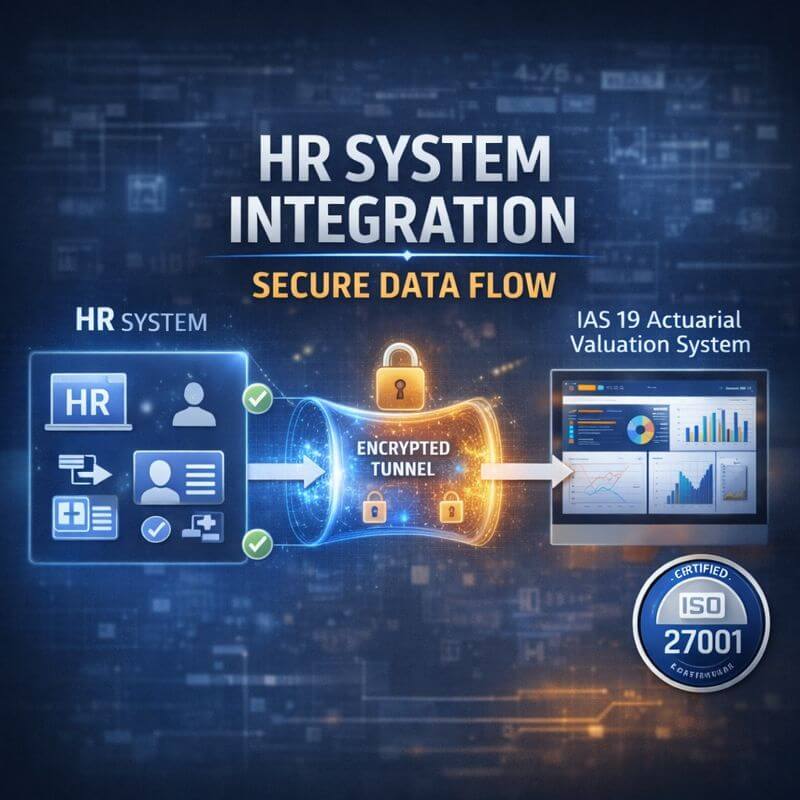
HR system integration eliminates manual data exports. The software connects securely to your existing HR platform. Employee data flows automatically without transcription. When HR data changes, your next valuation reflects those changes immediately.
End-to-end encryption protects sensitive employee information throughout the process. All data is encrypted during transmission from your HR system, throughout calculations, and in final report delivery. The system maintains ISO 27001 certification for information security.
Multi-country support handles benefit plans across different jurisdictions. The system applies jurisdiction-specific rules for different countries. Multi-currency reporting converts liabilities into your reporting currency. Consolidated reporting rolls results from multiple entities into group-level summaries.
Financial statement integration is direct. Generated journal entries for service costs, net interest, and remeasurement amounts export directly into your accounting system. IAS 19 disclosure notes format automatically for financial statement footnotes.
Pricing and Implementation
Pricing models vary based on your organizational size and benefit plan complexity. Most finance teams see implementation within 2-4 weeks. Monthly subscription fees typically range from $2,000-$8,000 depending on employee count and valuation frequency. This is substantially lower than annual external actuarial fees while providing unlimited valuations, not just quarterly reports.
Compare this against your current process. If you spend $40,000-$60,000 annually on external actuarial services plus internal time managing valuations, the IFRS Tech system pays for itself while freeing up your finance team for higher-value work.
Start Your IAS 19 Valuation Transformation
Schedule a personalized consultation with IFRS Tech specialists. They’ll review your current valuation process, identify optimization opportunities, and demonstrate exactly how the IAS 19 Actuarial Valuation System works with your benefit plans. You’ll see real calculations on scenarios similar to yours. You’ll understand implementation timelines and costs. There’s no obligation and all discussions remain confidential.
Get your free trial access. Upload your employee data, run a complete valuation, review the generated reports, test assumption scenarios. Experience the speed and accuracy firsthand before making any commitment. You’ll gain immediate insight into how this system transforms your financial close process.
The question isn’t whether you should automate your IAS 19 valuation process. Your competitors already have. The question is when you’ll make the switch and how much value you’ll create by reclaiming weeks of finance team time each quarter.
Take action today. Contact IFRS Tech and see exactly what becomes possible when software handles IAS 19 actuarial valuation instead of external consultants handling it for you.
Frequently Asked Questions About IAS 19 Actuarial Valuation Software
What exactly does IAS 19 actuarial valuation software do?
The software automates employee benefit obligation calculations under IAS 19 standards. It integrates with your HR system, applies actuarial assumptions based on your workforce demographics, calculates present values using the projected unit credit method, and generates auditor-ready reports with sensitivity analyses and disclosure notes. Instead of manual spreadsheet work or external actuary engagement, the software handles all calculations automatically.
How much does IAS 19 actuarial valuation software cost?
Annual subscription fees typically range from $24,000-$96,000 depending on employee count and valuation frequency. This is often lower than single annual engagement with external actuaries while providing unlimited valuations. Implementation costs range from $5,000-$15,000. Many organizations recover their investment within the first year compared to external actuarial service fees.
How long does implementation take?
Most implementations complete within 2-4 weeks. This includes system configuration to your benefit plans, HR system integration setup, data validation, initial valuation testing, and team training. Your finance team can typically run independent valuations within one week of training completion.
Can the software handle multi-entity and multi-currency valuations?
Yes. The software valuates individual subsidiaries with entity-specific benefit plans, applies different assumptions for different jurisdictions, and consolidates results at the group level. Multi-currency support converts liabilities into your reporting currency while maintaining local currency details for disclosure.
What if we add new benefit plans in the future?
The software accommodates new benefit types without replacement. If you add a pension plan to your existing gratuity plan, the system configures the new plan and includes it in future valuations. Different calculation methodologies for different benefit types are handled automatically.
How secure is the employee data in the system?
The system uses end-to-end encryption throughout the process. Data is encrypted during transmission from your HR system, during calculations, and in report delivery. The system maintains ISO 27001 certification for information security. Role-based access controls limit who can view sensitive information.
Who validates that the calculations are correct?
The system includes independent actuarial review of calculations. All methodology follows IAS 19 standards exactly. Generated reports include complete calculation trails showing assumptions, formulas, and results. Your external auditors can verify the methodology and results using system-generated documentation.
Can we test different assumptions without running the full valuation?
Yes. Sensitivity analysis tools show how changes in discount rates, salary growth, mortality assumptions, or other inputs affect liability calculations. You can model multiple scenarios and compare results instantly. This helps management understand assumption impacts before finalizing the valuation.
What HR systems can the software integrate with?
The system integrates with major enterprise HR platforms. Your implementation team works with you to establish secure connections. Custom integrations can be configured for proprietary or specialized HR systems.
How are assumption changes handled if auditors question assumptions?
The system maintains complete documentation of assumption decisions including effective dates, rationale, and comparison to market benchmarks. If auditors question your assumptions, you provide system-generated documentation showing your decision-making process and supporting evidence.
What resources are available to learn more about pension accounting software?
For comprehensive information about employee benefits accounting software and IFRS compliance, explore resources from Prima Consulting, which provides detailed guidance on avoiding common IAS 19 valuation errors and best practices for pension accounting. You can also find additional guidance on pension actuarial valuation software.